> ## Documentation Index
> Fetch the complete documentation index at: https://cometchat-22654f5b-docs-v6-beta2-flutter-uikit.mintlify.site/llms.txt
> Use this file to discover all available pages before exploring further.
# Smart Chat Features
> AI-powered features in CometChat's React UI Kit: Conversation Starter, Smart Replies, and Conversation Summary.
| Field | Value |
| -------------- | --------------------------------------------------------------------------------------------------------------------------------------------------------------------------------------------------------------------------------------------------------------------------------------- |
| Package | `@cometchat/chat-uikit-react` |
| Required setup | `CometChatUIKit.init(UIKitSettings)` then `CometChatUIKit.login("UID")` + AI features enabled in [CometChat Dashboard](/fundamentals/ai-user-copilot/overview) |
| AI features | Conversation Starter, Smart Replies, Conversation Summary |
| Key components | `CometChatMessageList` → [Message List](/ui-kit/react/message-list) (Conversation Starter), `CometChatMessageComposer` → [Message Composer](/ui-kit/react/message-composer) (Smart Replies, Summary), `CometChatAIAssistantChat` → [AI Assistant Chat](/ui-kit/react/ai-assistant-chat) |
| Activation | Enable each AI feature from the CometChat Dashboard — UI Kit auto-integrates them, no additional code required |
## Overview
CometChat AI features enhance user interaction by providing contextual suggestions and summaries. Each feature is activated from the Dashboard and auto-integrates into UI Kit components.
## Smart Chat Features
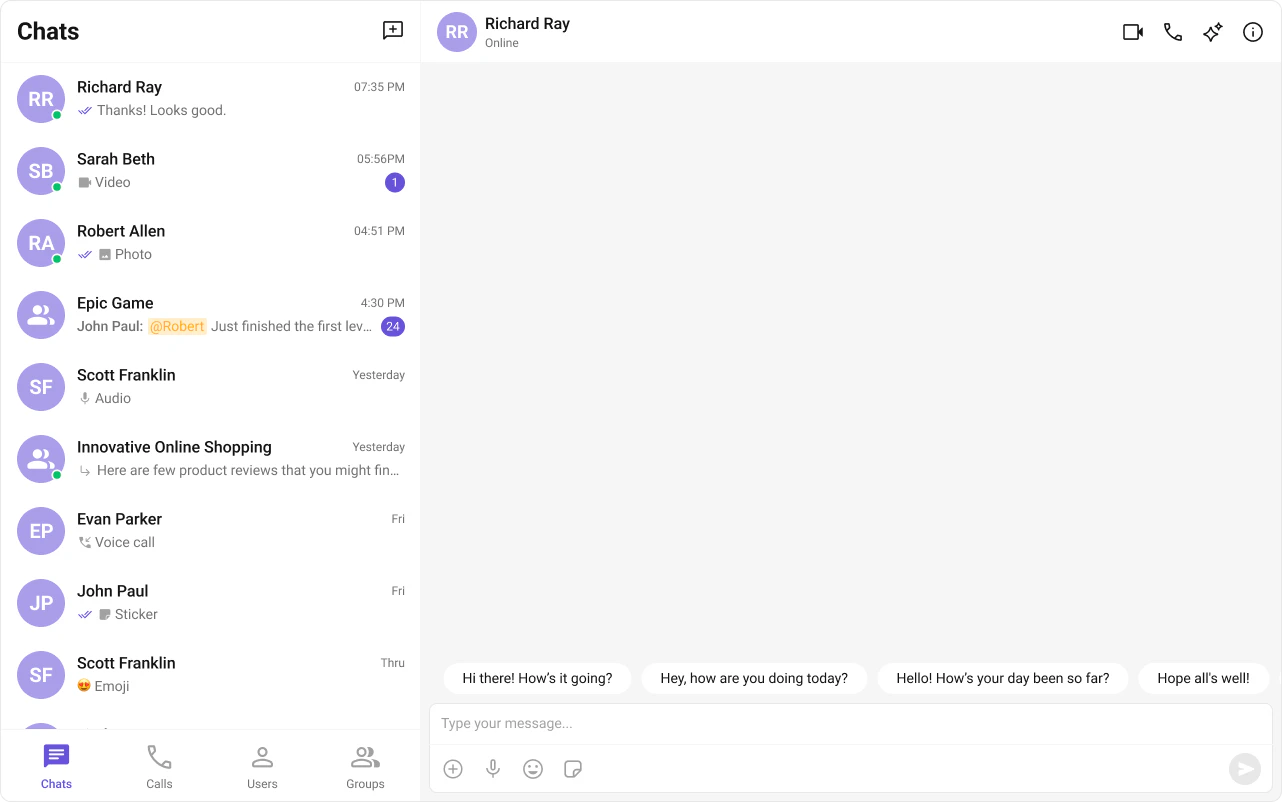
### Conversation Starter
Displays AI-generated opening lines when a user starts a new chat. See [Conversation Starter](/fundamentals/ai-user-copilot/conversation-starter).
Auto-integrates into [MessageList](/ui-kit/react/message-list) when activated.
 ### Smart Replies
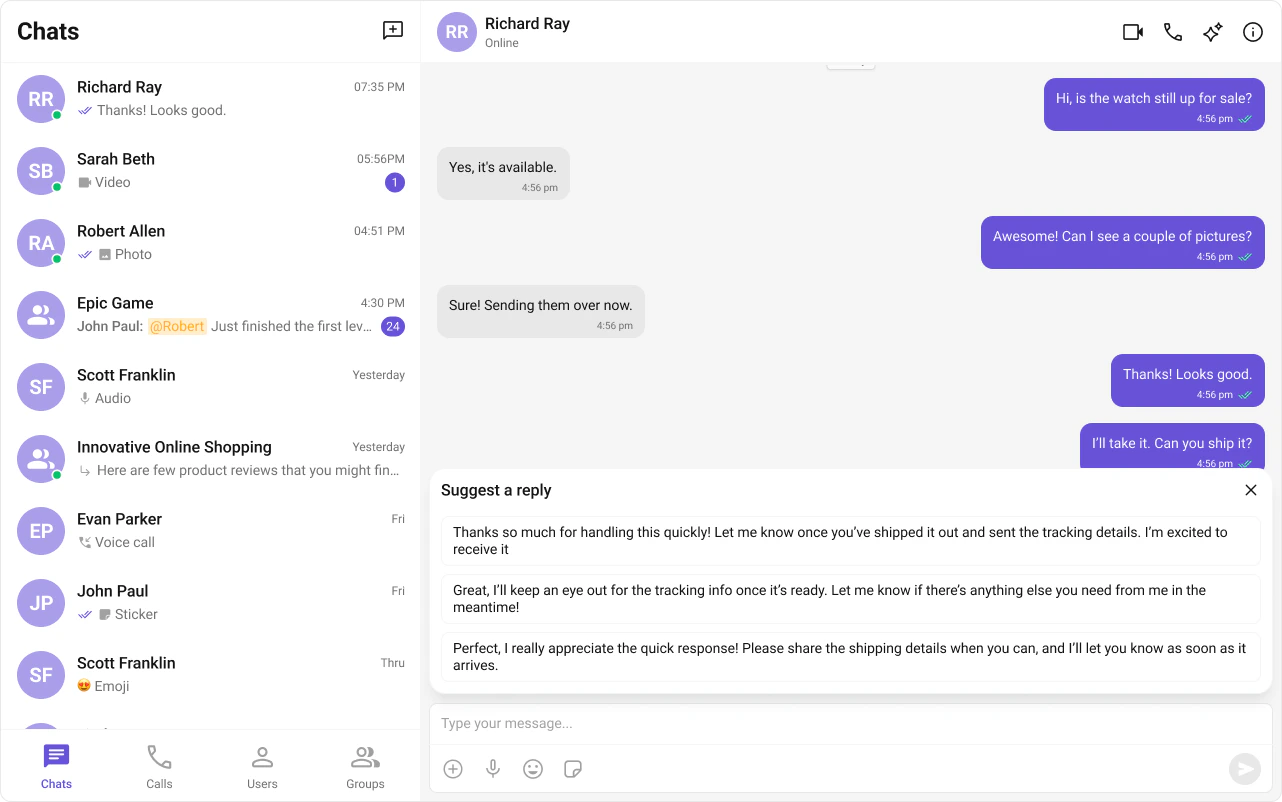
AI-generated response suggestions based on conversation context. See [Smart Replies](/fundamentals/ai-user-copilot/smart-replies).
Auto-integrates into the Action Sheet of [MessageComposer](/ui-kit/react/message-composer) when activated.
### Smart Replies
AI-generated response suggestions based on conversation context. See [Smart Replies](/fundamentals/ai-user-copilot/smart-replies).
Auto-integrates into the Action Sheet of [MessageComposer](/ui-kit/react/message-composer) when activated.
 ### Conversation Summary
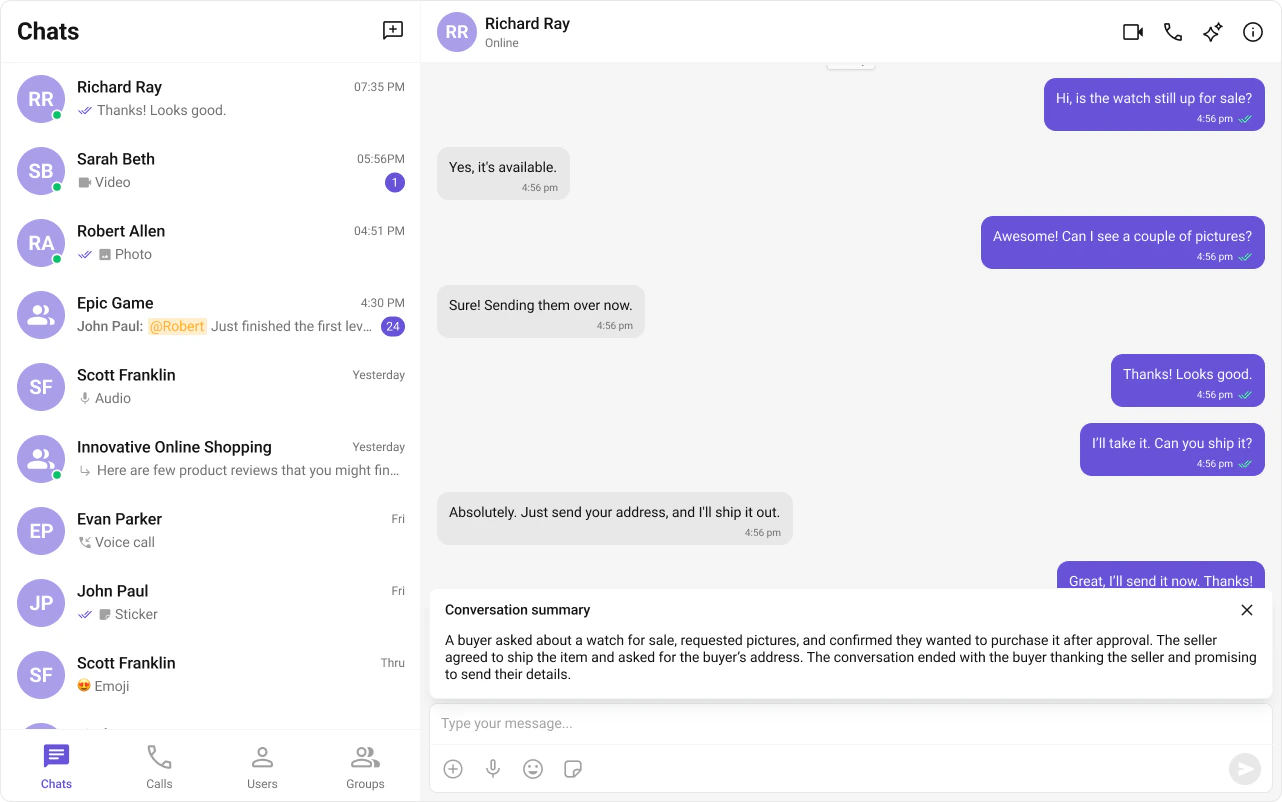
AI-generated recap of long conversations. See [Conversation Summary](/fundamentals/ai-user-copilot/conversation-summary).
Auto-integrates into the Action Sheet of [MessageComposer](/ui-kit/react/message-composer) when activated.
### Conversation Summary
AI-generated recap of long conversations. See [Conversation Summary](/fundamentals/ai-user-copilot/conversation-summary).
Auto-integrates into the Action Sheet of [MessageComposer](/ui-kit/react/message-composer) when activated.
 ## Next Steps
AI-powered assistant component
Customize the message list where AI features appear
Customize the composer with Smart Replies and Summary
Core chat features like messaging and reactions
## Next Steps
AI-powered assistant component
Customize the message list where AI features appear
Customize the composer with Smart Replies and Summary
Core chat features like messaging and reactions