> ## Documentation Index
> Fetch the complete documentation index at: https://cometchat-22654f5b-docs-v6-beta2-flutter-uikit.mintlify.site/llms.txt
> Use this file to discover all available pages before exploring further.
# React Native UI Kit
> Prebuilt React Native components for chat, voice, and video calling. Supports React Native CLI and Expo.
| Field | Value |
| ------------ | --------------------------------------------------------------------------------------------------------------------------- |
| Package | `@cometchat/chat-uikit-react-native` v5.x |
| Peer deps | `react-native` >=0.70, `@cometchat/chat-sdk-react-native`, `react-native-gesture-handler`, `react-native-safe-area-context` |
| Calling | Optional — `@cometchat/calls-sdk-react-native` |
| Localization | Built-in localization support |
| Source | [GitHub](https://github.com/cometchat/cometchat-uikit-react-native/tree/v5) |
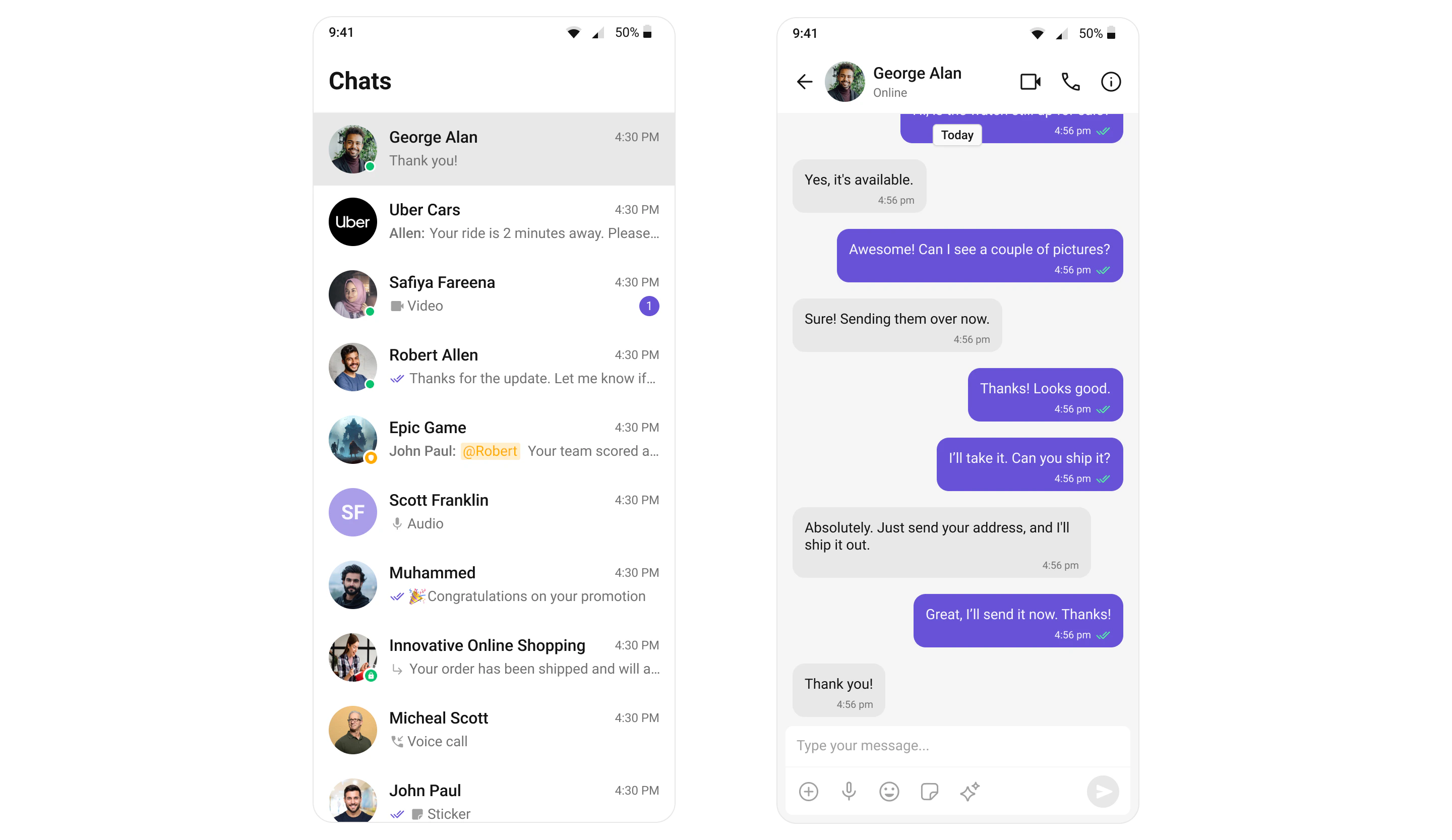
The CometChat React Native UI Kit provides prebuilt, customizable components for adding chat, voice, and video calling to any React Native app. Each component handles its own data fetching, real-time listeners, and state — you just drop them into your layout.
 `CometChatUIKit.init(UIKitSettings)` must be called before rendering any UI Kit components or calling any SDK methods. Initialization must complete before login.
Auth Key is for development/testing only. In production, generate Auth Tokens on your server using the REST API and pass them to the client. Never expose Auth Keys in production client code.
***
## Get Started
Pick your framework and follow the step-by-step integration guide:
Standard React Native project setup
} href="/ui-kit/react-native/expo-integration">
Expo managed workflow
***
## Explore
Browse all prebuilt UI components
Chat, calling, AI, and extensions
Colors, fonts, dark mode, and custom styling
Initialize, authenticate, and send messages
Common issues and fixes
***
## Resources
Working reference app
Full UI Kit source on GitHub
Open a support ticket
`CometChatUIKit.init(UIKitSettings)` must be called before rendering any UI Kit components or calling any SDK methods. Initialization must complete before login.
Auth Key is for development/testing only. In production, generate Auth Tokens on your server using the REST API and pass them to the client. Never expose Auth Keys in production client code.
***
## Get Started
Pick your framework and follow the step-by-step integration guide:
Standard React Native project setup
} href="/ui-kit/react-native/expo-integration">
Expo managed workflow
***
## Explore
Browse all prebuilt UI components
Chat, calling, AI, and extensions
Colors, fonts, dark mode, and custom styling
Initialize, authenticate, and send messages
Common issues and fixes
***
## Resources
Working reference app
Full UI Kit source on GitHub
Open a support ticket